Maximizing Marketing and WiFi in Remote Areas

Revolutionizing Remote Connectivity with WestEnd WiFi and GoZone WiFi

Delivering reliable Wi-Fi to remote locations like campgrounds, marinas, and farms has long been a challenge due to the limited availability and high cost of backhaul. However, WestEnd WiFi is now offering a groundbreaking solution by leveraging Starlink satellite broadband for backhaul and GoZone WiFi for comprehensive service management, including captive portals, analytics, and payment schemes.

Comprehensive Wi-Fi Solutions for Remote Areas

WestEnd WiFi’s preconfigured package includes everything needed to set up a complete public or private Wi-Fi network. This package comprises a Starlink terminal, Ruckus (CommScope) access points, the GoZone WiFi platform, and peripheral equipment like a VPN for remote management. If necessary, additional equipment such as 60 GHz radios or Wi-Fi mesh can be included to further distribute the backhaul to more access points.

“This will make a huge difference for all places that are far from fixed network grids – and there are a large number of those right across the U.K. Starlink offers the ubiquitous backhaul that is otherwise difficult to procure, while GoZone WiFi delivers all the flexibility we need for creating Wi-Fi services, payment schemes, analytics, and more,” says Tim Belfall, Director at WestEnd WiFi.

Starlink’s Role in Remote Connectivity

In the UK, Starlink residential service provides up to 200 Mbps downlink and 20 Mbps uplink for £89 (about US$109) a month, with an initial hardware cost of £529 (about US$648). While these services are configured to work at a single location, they can be moved for an additional fee payable to Starlink. Full Wi-Fi services require suitable Wi-Fi APs and other equipment. For the complete equipment list, fill out the form below to download the case story document.

“The speeds may not sound like a lot, but they are very useful for many use cases. Add to this that it is possible to double or triple the data rates by aggregating several Starlink terminals using suitable channel bonding equipment,” Tim Belfall says. WestEnd WiFi has conducted extensive tests to verify performance and required equipment configurations. These test configurations and results are available in the case story paper.

GoZone WiFi’s Service Management Capabilities

GoZone WiFi CEO & founder Todd Myers emphasizes that the availability of backhaul, such as Starlink, opens up markets underserved with Wi-Fi. All public or private enterprise networks will benefit from GoZone WiFi’s service management, analytics, and marketing capabilities. “We’re excited to be part of the ecosystem delivering Wi-Fi to outlying areas together with WestEnd WiFi and offering the tools to make such networks profitable and sustainable. Wi-Fi should be for everyone, including tourists, businesses, and industry in remote locations,” says Todd Myers.

Benefits of Advanced Captive Portals in Outdoor Parks

Implementing advanced captive portals in outdoor parks can significantly enhance the overall visitor experience and provide numerous benefits:

  1. Enhanced User Experience: Captive portals offer an easy and intuitive way for visitors to access Wi-Fi services. A seamless login process ensures a positive user experience from the moment they connect.
  2. Visitor Data Collection: Advanced captive portals enable the collection of valuable visitor data, such as contact information and user demographics. This data helps park management understand visitor behavior, preferences, and trends, allowing for tailored services and marketing efforts.
  3. Targeted Marketing and Promotions: Leveraging data collected through captive portals, parks can deliver targeted marketing messages and promotions directly to visitors. Information about upcoming events, special offers, or nearby attractions can enhance the visitor experience.
  4. Monetization Opportunities: Captive portals can introduce monetization strategies like sponsored content, advertisements, or premium Wi-Fi plans. This creates additional revenue streams for parks while providing value to sponsors and advertisers.
  5. Enhanced Security: Captive portals can include security features such as user authentication and access controls, ensuring that only authorized users access the Wi-Fi network. This helps protect both the network and its users from potential security threats.
  6. Community Engagement: Parks can use captive portals to promote community engagement by sharing information about local events, volunteer opportunities, and park initiatives. This fosters a sense of community and encourages visitors to participate in and support park activities.
  7. Feedback and Surveys: Captive portals can gather feedback from visitors through surveys and questionnaires. This feedback is invaluable for park management to identify areas for improvement and enhance the visitor experience.

Conclusion

By incorporating advanced captive portals into their Wi-Fi service offerings, outdoor parks can create a more connected, engaging, and enjoyable environment for their visitors. GoZone WiFi’s platform, with its robust captive portal capabilities, provides the perfect solution for parks looking to enhance their Wi-Fi services and leverage the full potential of connectivity.

Read the full case study for more insights into how WestEnd WiFi and GoZone WiFi are transforming remote connectivity.

Coupons

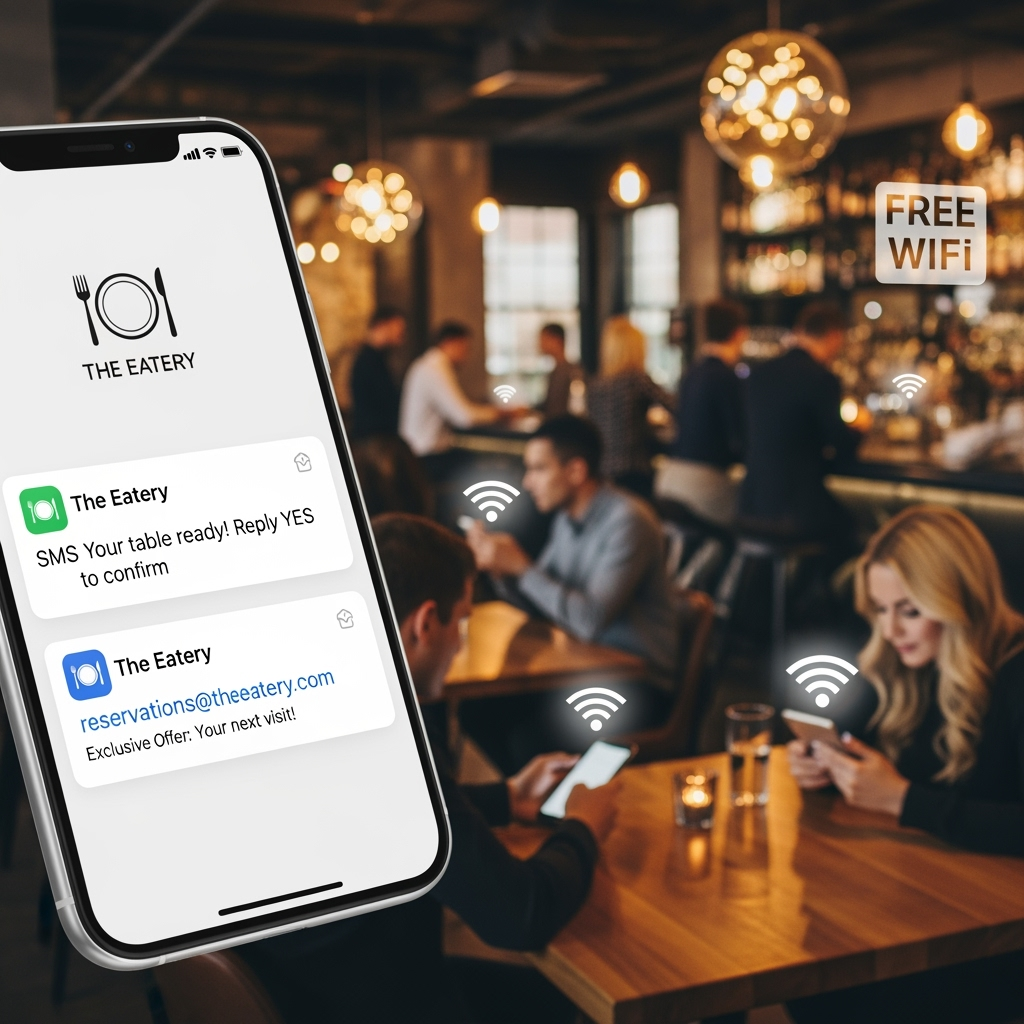
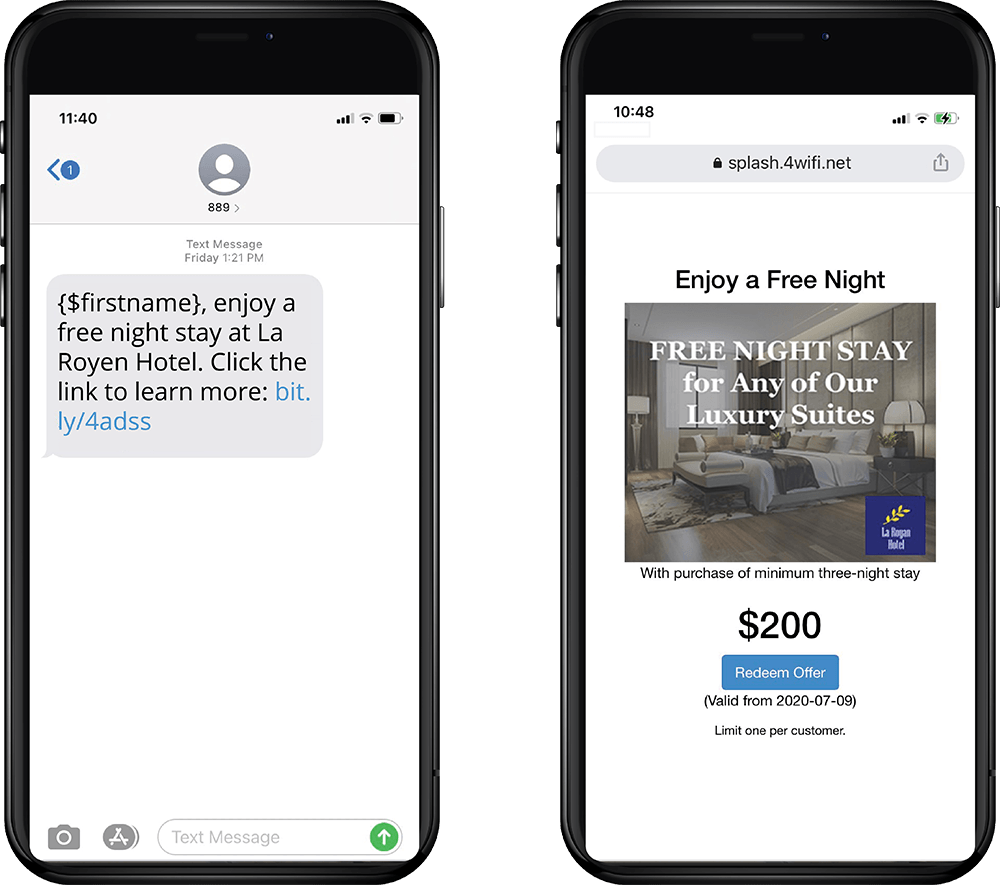
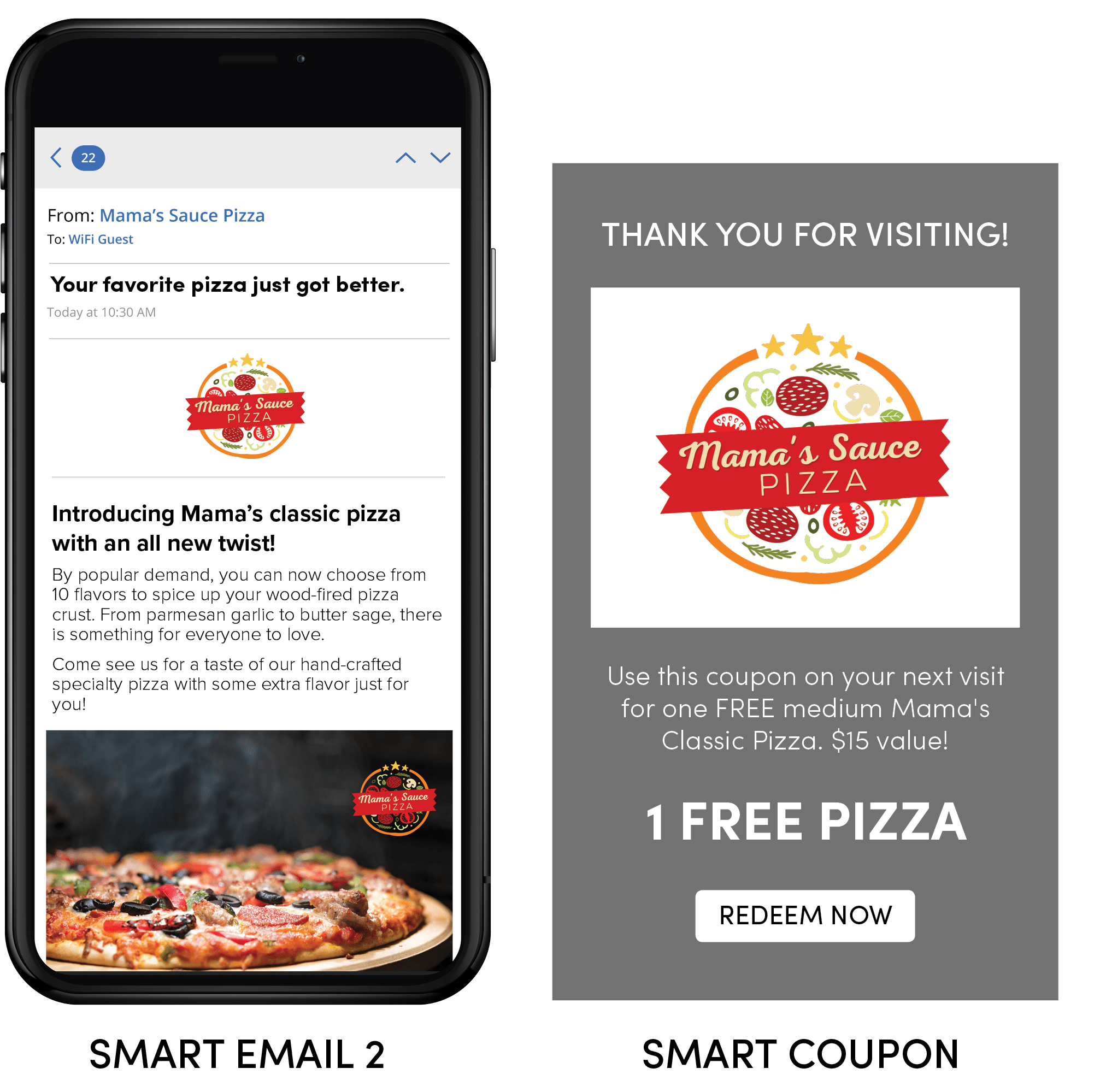
Unlock new revenue streams with Smart WiFi’s automated coupon campaigns—create unlimited, customized offers that are instantly delivered to your guests via email or SMS when they connect to your WiFi. Effortlessly boost engagement and drive repeat business, while tracking every redemption to see real results for your venue.

Splash Page Scheduler

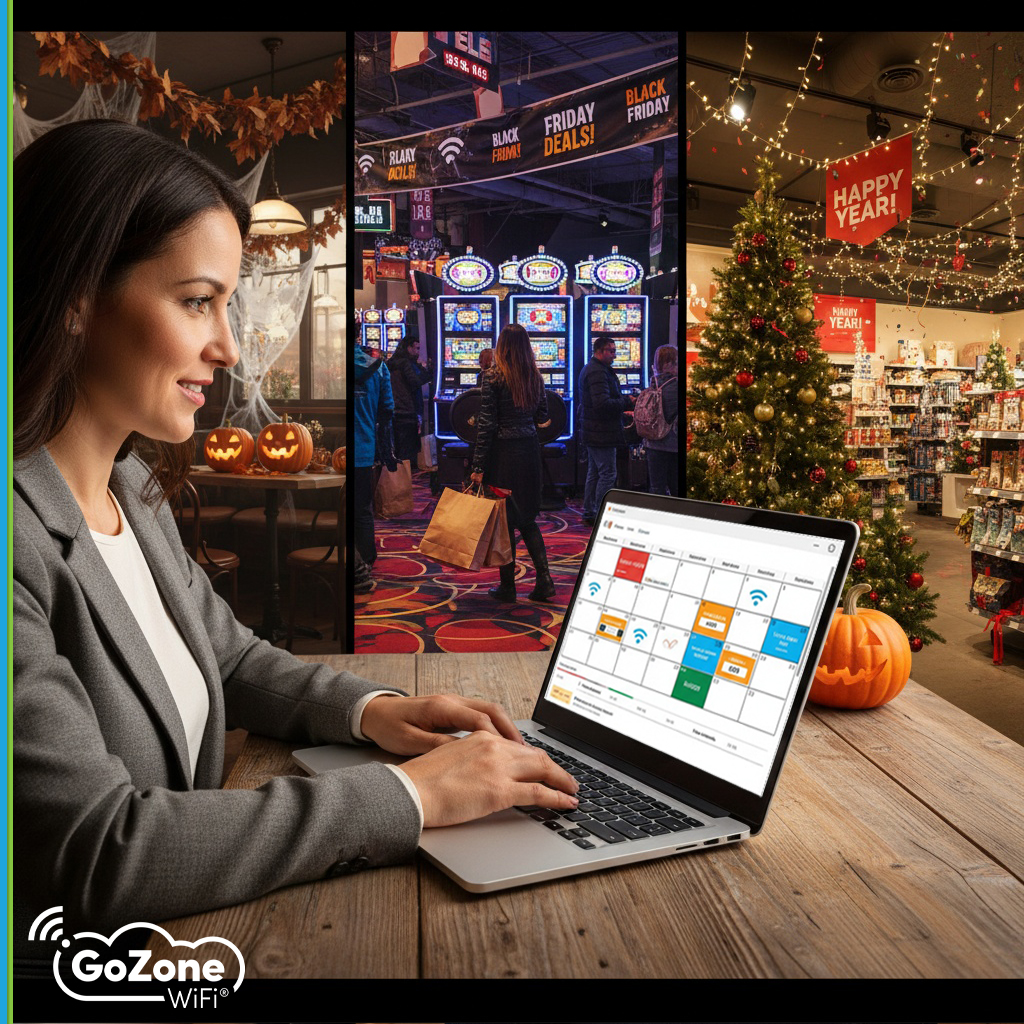
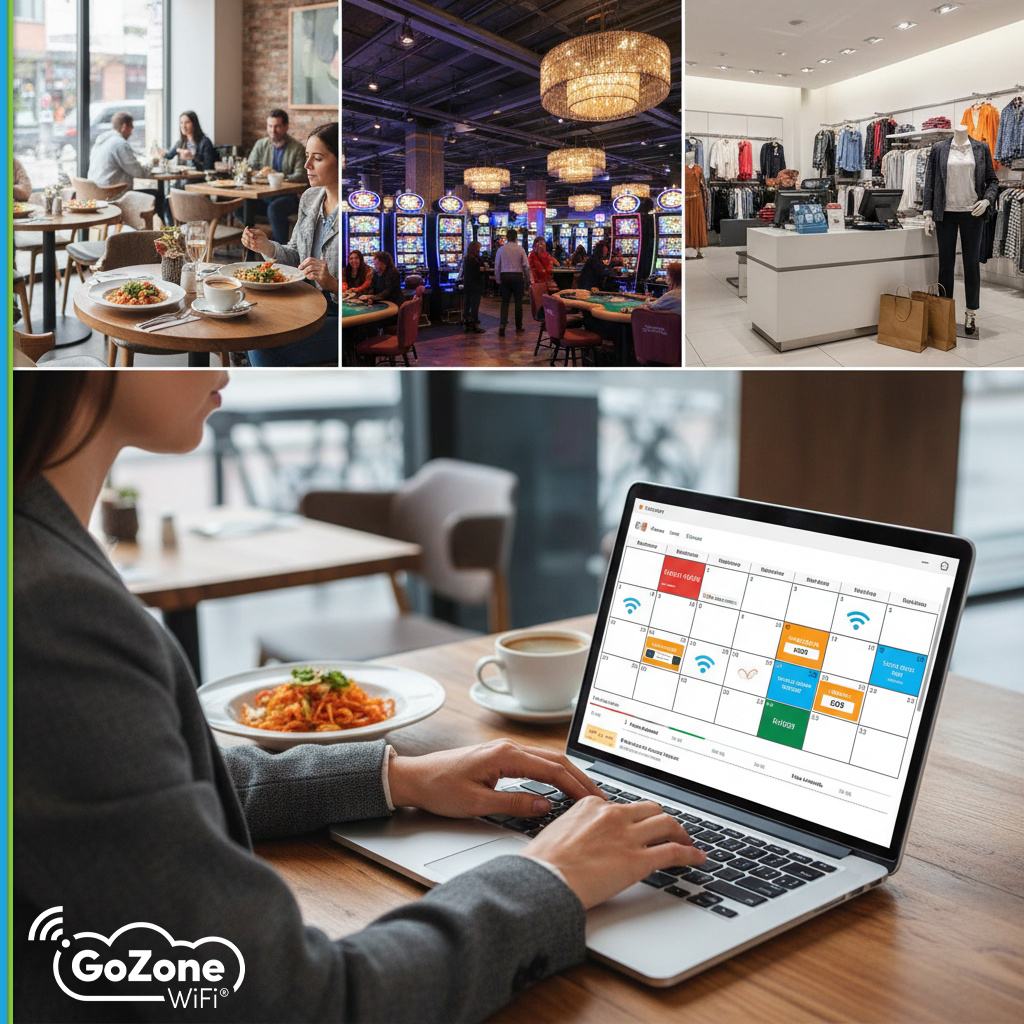
Take control of your guest experience with our Splash Page Scheduler! Effortlessly plan and customize splash pages for any day or special event—whether it’s a weekly promotion or a one-time announcement. With flexible scheduling, you’ll always deliver the perfect message to your guests, exactly when it matters most.

How Does OpenRoaming Work?

OpenRoaming is a groundbreaking framework designed to provide seamless and secure Wi-Fi connectivity across multiple networks without the need for users to repeatedly log in or manage credentials. This simplifies user experiences while enhancing security and interoperability. Here’s how OpenRoaming operates:

  1. Automatic Device Authentication: OpenRoaming enables devices to automatically authenticate to participating networks using trusted identity providers, such as service providers, educational institutions, or enterprise systems.
  2. Federated Trust Framework: It leverages a global federation of identity providers and access networks. This ensures secure communication between the user’s device and the Wi-Fi network, allowing for trusted and seamless connections.
  3. Encryption and Security: OpenRoaming employs advanced encryption protocols to ensure secure data transmission and user privacy.
  4. Seamless Handover: When moving between participating networks, OpenRoaming allows for uninterrupted connectivity without requiring users to re-authenticate or reconnect manually.
  5. Standardized Deployment: Networks participating in OpenRoaming adopt a consistent framework, ensuring compatibility and ease of deployment across diverse environments.

Advantages of OpenRoaming

  • Effortless Connectivity: OpenRoaming eliminates the need for repeated logins or managing passwords, delivering a frictionless experience for users.
  • Improved Security: By using identity federation and encryption, OpenRoaming ensures user data is secure, reducing risks associated with public Wi-Fi networks.
  • Global Interoperability: OpenRoaming’s federated framework allows users to connect seamlessly across a vast ecosystem of participating networks, enhancing mobility and convenience.
  • Enhanced User Retention: Businesses benefit from providing an uninterrupted user experience, encouraging longer visits and repeat engagements.

Challenges with OpenRoaming

  • Initial Setup Requirements: Participating networks must implement the OpenRoaming framework, which may involve technical setup and coordination with identity providers.
  • Network Participation: OpenRoaming’s effectiveness depends on widespread adoption by networks and identity providers, limiting availability in areas where participation is low.
  • Compliance and Maintenance: Ensuring compliance with OpenRoaming standards and maintaining infrastructure can require ongoing effort and investment.

OpenRoaming for Businesses

 Businesses that adopt OpenRoaming, which allows guests to connect automatically, gain a competitive advantage by providing a secure and effortless Wi-Fi experience for customers. From improving customer satisfaction to creating opportunities for engagement and loyalty, OpenRoaming transforms Wi-Fi connectivity into a strategic asset. By joining the OpenRoaming ecosystem, businesses can become part of a global network that keeps users connected wherever they go.

How Does CAPPORT Work?

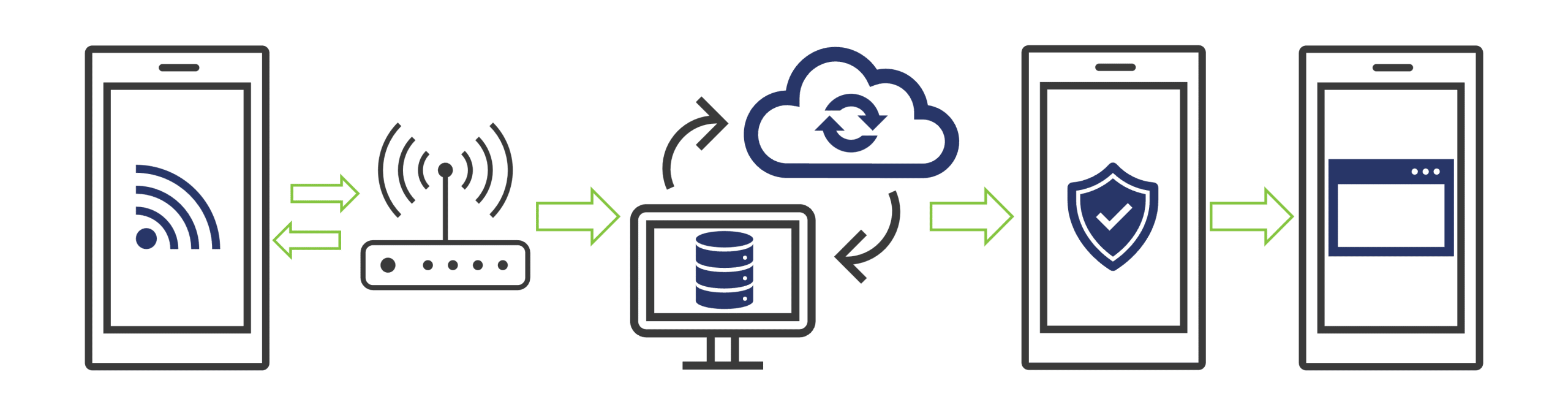
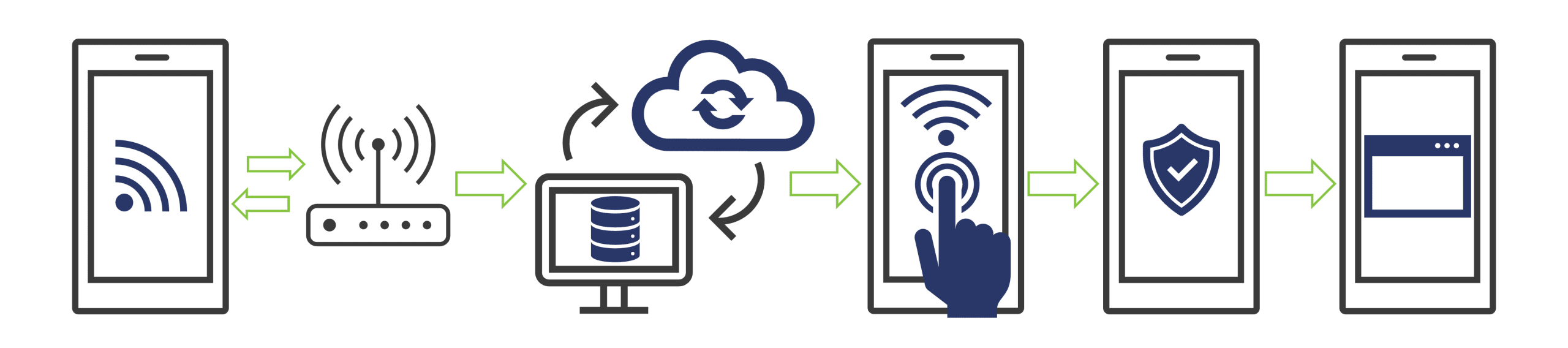
CAPPORT (Captive Portal API) streamlines the process of connecting users to Wi-Fi networks by creating a seamless and user-friendly experience. When a user accesses a CAPPORT-enabled network, they are guided through an efficient flow for authentication and internet access:

  1. Connection Initiation: The user’s device requests internet access when attempting to connect to the network.
  2. DHCP and CAPPORT State Interaction:
    • The device communicates with the DHCP server to obtain an IP address.
    • Along with the IP, the DHCP server provides a URL to the CAPPORT State endpoint.
    • The device queries the endpoint to determine whether it needs redirection to a captive portal.
  3. Captive Portal Engagement: If required, the user is redirected to the portal, where they can complete actions such as accepting terms, entering login credentials, or providing other validation.
  4. Authentication and Access: Upon successful validation, the network grants the user internet access, and redirection ceases for the duration of the session.
  5. Browsing and Session Extension: Users can browse without interruption. CAPPORT also supports seamless session extensions, allowing users to extend their session without re-authentication.


This standardized process ensures a smooth connection and consistent user experience across networks and devices..

Advantages of CAPPORT

  • Standardized Connectivity: CAPPORT ensures uniform communication protocols, delivering consistent network behavior and enhancing the user experience.
  • Improved Browsing Experience: Avoids common HTTPS redirection issues, reducing errors and streamlining the login process.
  • Seamless Session Management: Enables session extensions without re-login, ensuring uninterrupted connectivity for users.

Challenges with CAPPORT

  • Implementation Complexity: Setting up CAPPORT requires a robust network infrastructure, which may challenge businesses lacking technical expertise.
  • Local DHCP Server Requirement: CAPPORT relies on a local DHCP server with an API, necessitating specific configurations and potential cost considerations.
  • Device Compatibility: As of 2023, CAPPORT support is not universal, limiting functionality on some devices.

By addressing these challenges, businesses can leverage CAPPORT to enhance connectivity, improve user experiences, and create opportunities for Wi-Fi monetization and marketing.

Talk to an Expert


Smart WiFi Suite Enterprise Feature Matrix

  • Enterprise-grade cloud infrastructure
    Scaleable platforms on the Amazon AWS cloud provides carrier-grade uptime.
  • Multi-Location Data Views
    An aggregated view of your data giving you visibility to all of your locations or drill-down to specific locations.
  • User Access Control
    Allows your administrator to control and limit access, features and data visibility among users.
  • Advanced Captive Portal Engine
    A complete toolset to design and build dynamic captive portals, guest flows and custom privacy controls. Includes our Touchless Menu features.
  • Guest Forms, Vouchers and Payments
    Collect guest data, surveys, on-line or offline payments and offer different access levels.
  • Customized login methods
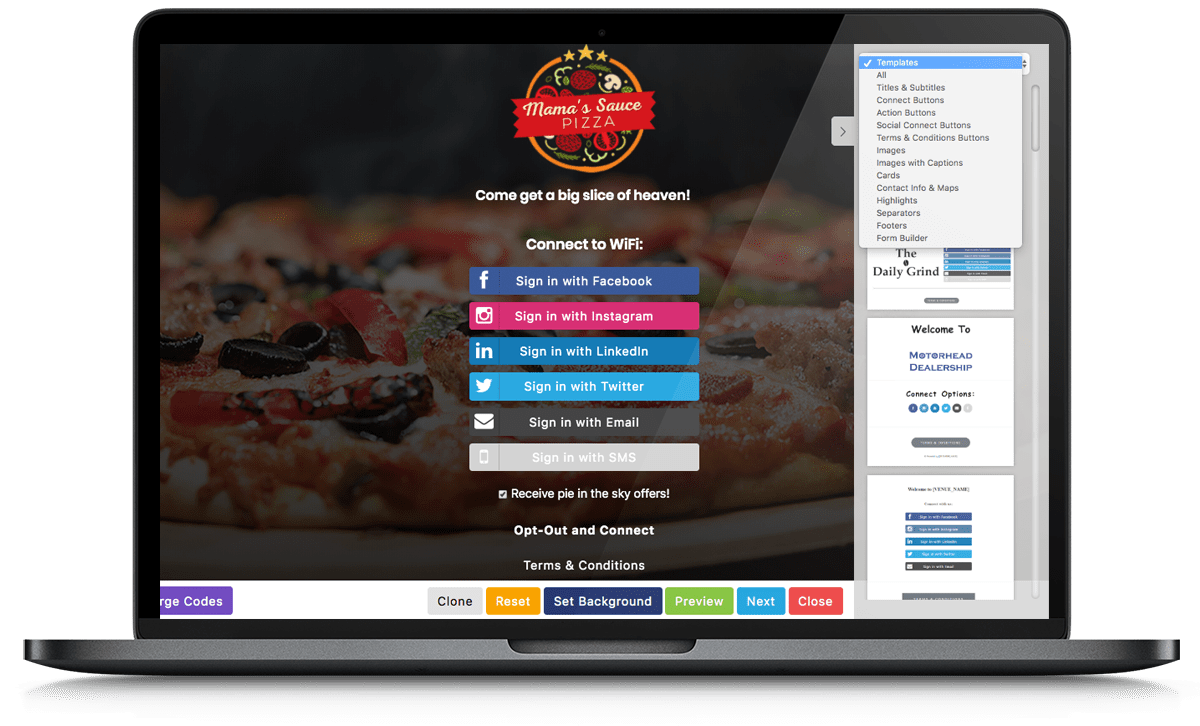
    Choose how guests are able to access your network including social login, emails and SMS login, advertisements or a combination.
  • Data Export
    Full guest profile export to CSV allowing you to use collected data in third party systems.
  • Detailed Location Data Analytics
    Analyse detailed information about your locations like busy days, busy times and location comparisons.
  • Demographics and Device Information
    Make informed decisions based on detailed demographics and perform location comparisons.
  • Data Sync to other systems/API
    Save time populating other systems as guest profile data can be sent to external systems on timed intervals.
  • Triggered Campaigns
    Engage with your guests without the manual work by creating personalized email, SMS or Twitter campaigns.
  • Coupons and Loyalty
    Increase spend and promote repeat visits by creating incentives for guests or their friends to come back.
  • Import external data
    Bring in contact data from other systems to consolidate your marketing efforts into a single comprehensive platform.
  • Contact segmenting and lists
    Build contact groups to send personalized messages to your guests based on automatic segmentation and your own critera.
  • Scheduled Campaigns
    Communicate with your contacts to drive awareness through email, SMS or Twitter.
  • Traffic Counts and Statistics
    Monitor your venue and events with real-time and recorded traffic counts and patterning.
  • Heatmapping and Traffic Flows
    Visualize crowd density and how people flow in, out and through your venue to see where people congegrate.
  • Alerting and Reporting
    Create automated alerts to help control crowds or to monitor abnormal trends.
  • Intelligent Landing Page Builder
    Simple to create pages that support multiple campaign types and can easily be modified and re-purposed for other venues or events.
  • Campaign Management Tools
    Offer your advertisers options to suit their advertising needs such as A/B testing, ad weights, flexible scheduling and more.
  • Reporting and Attribution
    Analyse detailed information about the campaigns and creatives to get the best campaign targeting.

  • Access


  • Insights


  • Automation


  • Contacts


  • Presence


  • Advertising

You should receive a text shortly with a link to view a sample Guest Flow.

Take a look at the sample we just sent you, and feel free to reach out if you’d like to learn more.

Custom Splash Page Builder

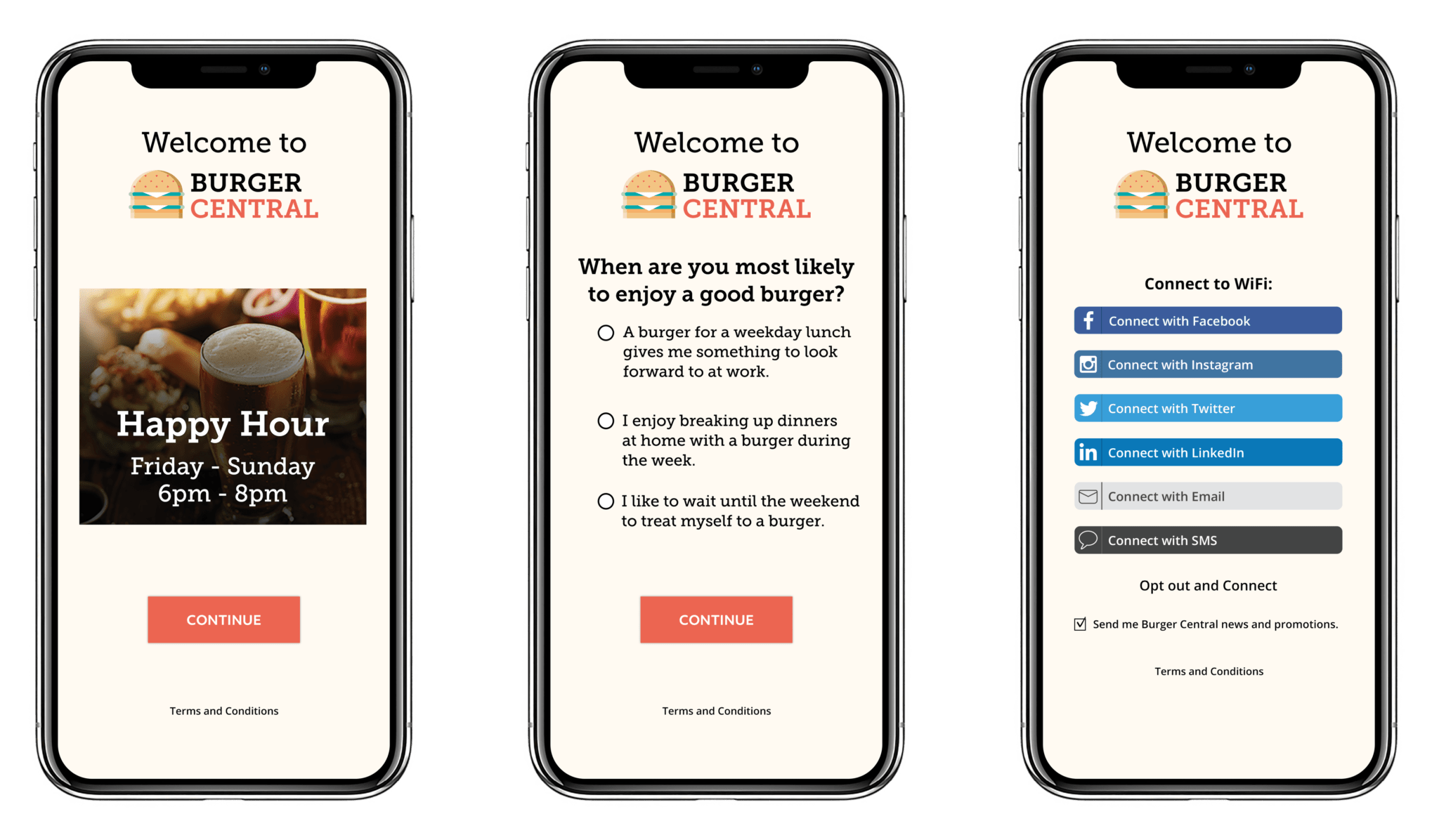
A custom splash page helps give a captive portal the branded look it needs to stand out from the crowd and give guests the peace of mind they’re accessing the network associated with the venue they’re visiting.

WiFi Payments and Vouchers

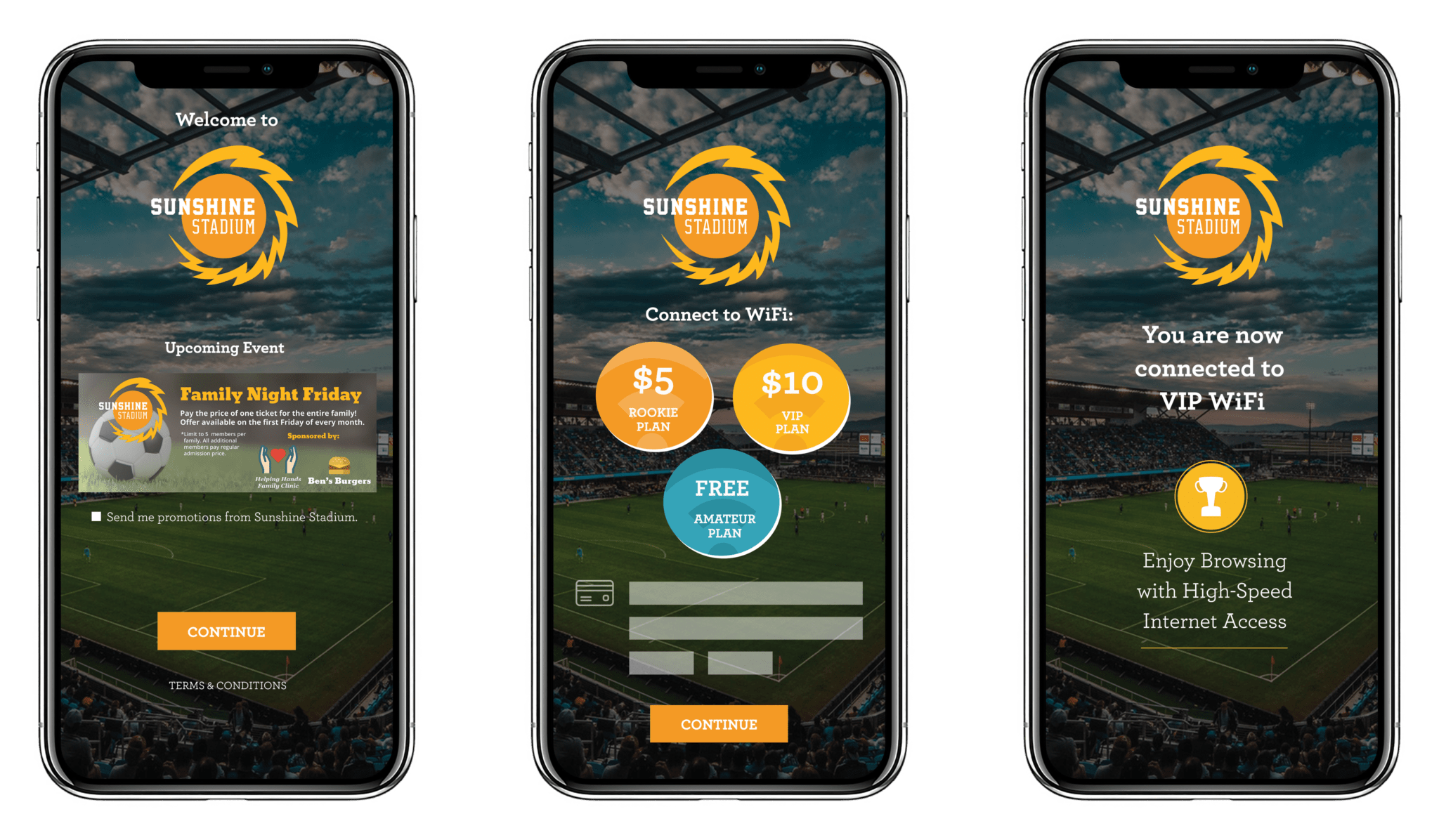
Offer premium guest WiFi access and promote WiFi upgrades with comprehensive payment and voucher modules. Payments can be used to offer guests varying speeds of WiFi access, while vouchers are great for venues that want to utilize a captive portal that also requires a voucher code for WiFi access.
WiFi payments and vouchers

Guest Plans

Venues can now offer multiple levels of guest WiFi access with our Guest Plan feature. Guest Plans are defined by specific upload and download speeds and session time limits. Brick-and-mortar businesses can offer guest WiFi access and promote WiFi upgrades with our new payment and voucher modules.

Versatile Form Builder

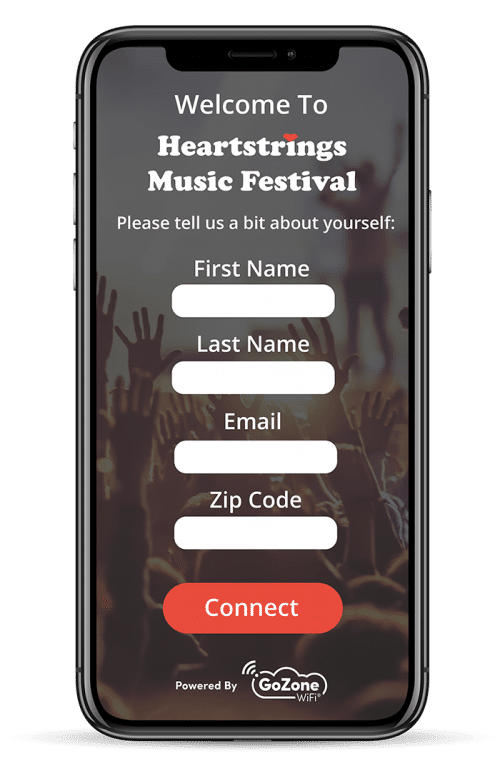
Create and display custom guest surveys on any splash page of your guest flow. Collect feedback and gather additional data points to create smarter marketing.

Enhanced Guest Flow

Guest flow gives venues complete control over the guest WiFi experience. Guest flows help keep a visually pleasing captive portal experience by preventing clutter of multiple marketing assets. Keep it simple, or turn your WiFi into a digital billboard.
WiFi splash page with survey social login

Integrated Ad Spaces

Ad Space Integrations is a powerful feature for venues who want to promote products, deals and specials, online shopping, loyalty programs and other signups, or third-party advertisers all on a pre-authenticated Splash Page.

Increase impressions and clicks for advertising opportunities by showcasing AdSpaces before requiring a guest to connect to WiFi.

Have an app that needs more downloads? The URL redirect function will navigate guests to the app store specific to their device as soon as they click on the advertisement/call-to-action button.

No more will guests have to wait to connect to WiFi to reach interactive ads. Ad Space Integrations takes Ads4WiFi smart advertising tools and places it our smart marketing environment powered by Marketing4WiFi.

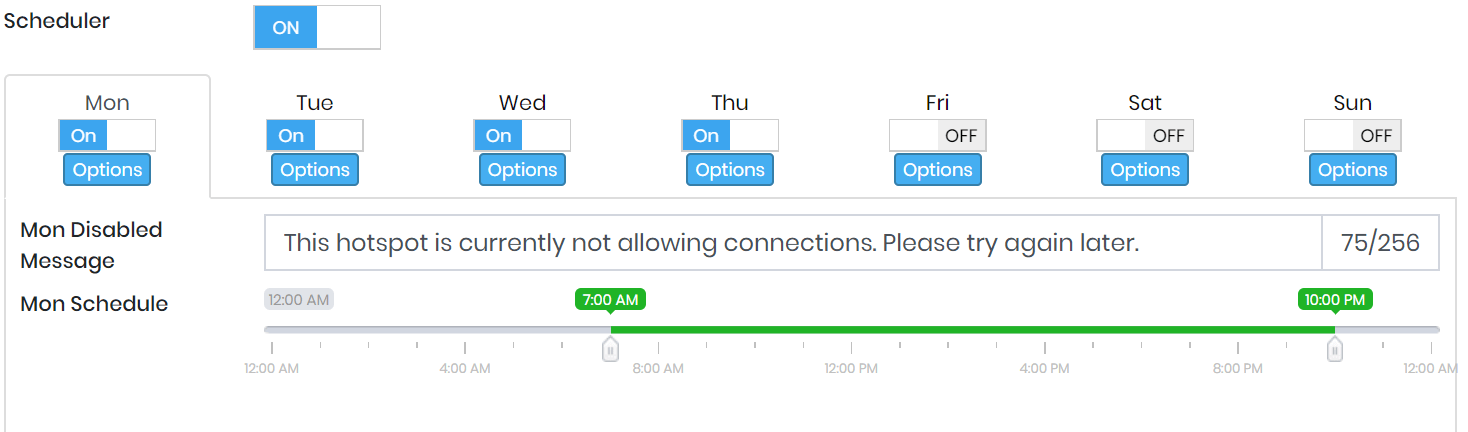
Hotspot Scheduler

Determine the specific days and times that WiFi is available to guests. Hotspot Scheduler offers smarter WiFi control by allowing venues to run their guest WiFi during business hours.