Frequently Asked Questions

When it comes to Smart WiFi, we’re the experts. Our team has been working on turning WiFi into a revenue generating machine since the late 1990’s! Here are a few of the most common questions we get about our platforms and partner programs.

General Questions

Do you have a support website or configuration and setup manuals?

Yes, our support pages have links to a LOT of training and configuration guides. Additionally, our team is always ready to assist, just reach out to us!

I'm an IT professional, do you have partner programs?

Yes, we have several programs for IT professionals. Check our our partner page. Then, fill out the contact form.

Can I prevent employees from using the WiFi?

Yes! You can block any device from being able to use your guest WiFi service. Simply login to our Smart WiFi Dashboard and find the Device. Then, click the ‘Block’ button.

Can I see how many people are connecting at my location?

Absolutely, our Dashboard will show you all kinds of usage and guest statistics. Additionally, if you don’t have your Dashboard credentials, contact our support team and we will get the credentials sent to you.

Do you do the installation?

No, we do not perform installation services, however, our controllers are pre-configured for you and they are plug and play. Then, installation can be done in just a few minutes. Additionally, we are happy to talk about any of the details with your IT professional.

Is a GoZone WiFi Network Secure?

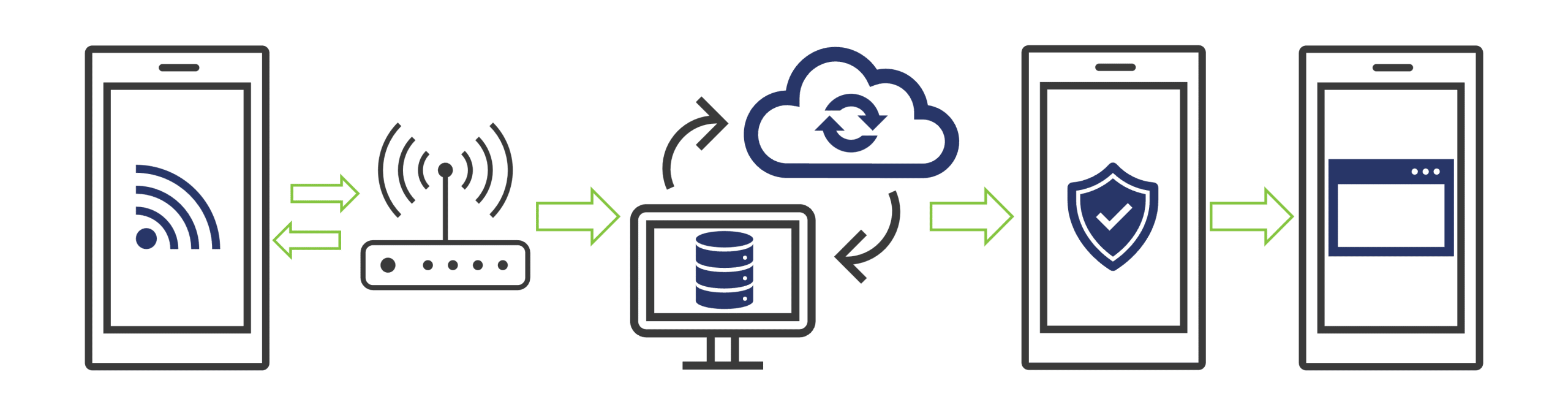
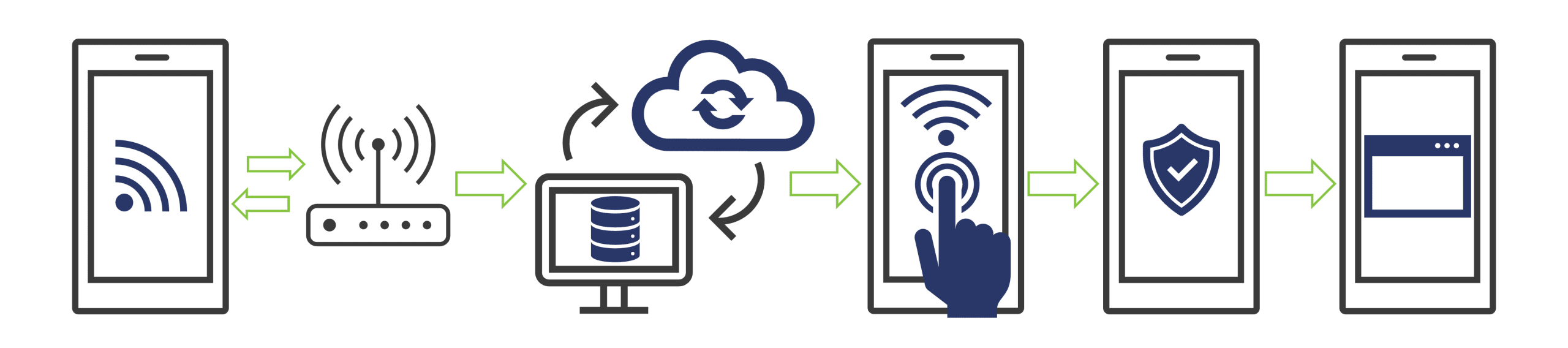
In a Zone location where GoZone has installed and/or supplied equipment for the network, we ONLY ship and recommend equipment with device isolation (fig. 1).
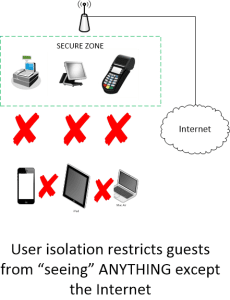
This means that NO device that connects to the WiFi network will be able to “see” any other device. In a typical public WiFi location, a user is given a password to connect. Then, when the user connects to a network using a password and without device isolation, that user has access to “see” every other device on that network. Thus, including POS systems, servers, printers, and other users (fig. 2).
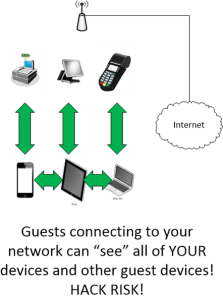
 

The device isolation that is used in a GoZone WiFi network helps protect the network, and the guests that use the network.

How easy is it to install at my business?

It’s REALLY easy! We send you the Smart WiFi controller, completely configured. Next, all you have to do is plug it into a power outlet and an available Internet port on your existing cable/DSL modem or ethernet switch.

How far will the signal reach?

We have several types of Smart WiFi controllers available. The standard controller can generally supply a good WiFi signal for a 2500sq foot business. Additionally, we also have a higher-powered version available at checkout that can be installed outside or powered over Ethernet. It’s usually great for up to 4000sq feet. However, for a larger space, contact us and we’ll make sure that you have plenty of coverage using multiple controllers.

Can I use my own equipment?

Yes you can! If you already have WiFi equipment installed, you can connect it to the back of our Smart WiFi controller. Also. we integrate with MANY enterprise access points. Click here for a list of compatible equipment. Furthermore, our Dashboard works great with controllers like: Uniquity, Cradlepoint, Mikrotik, Datto, Ruckus, Aruba, Cisco Meraki, Open WRT, DD-WRT.

Can you also handle large venues like casinos, stadiums, airports or events?

Absolutely. Contact our sales department for specifics on our High-Volume venue pricing.


Is there a mobile Smart WiFi hotspot available?

Yes, we offer a mobile/portable version of our service which is great for food trucks, buses, fleets, etc. Contact us for more details.

I want a mobile SmartWiFi hotspot. What else do I need?

Our small business plans include a mobile smart WiFi controller option. Additionally, we can supply an LTE data plan as well. You can get pricing by contacting us or by building a shopping cart.

Can adult content be blocked at my location?

Yes, if we provide managed hardware, we can enable content filtering. However, if you are managing your own hardware, you can enable it on your hardware.
Guest Questions

Can I get GoZone WiFi at my house?

At this time GoZone WiFi does not install at residential locations.


Can other people see my device on the network?

No. Our equipment isolates devices and traffic. Thus, you can’t see anyone else, and they can’t see you.

Must I click on an ad to use GoZone WiFi?

Many of our GoZone WiFi locations are sponsor-supported and we ask that you patronize our advertisers. However, to connect you only need to click the ‘CONNECT’ button.


Do you collect my email address or send SPAM?

In our Community GoZone locations you are given the option to opt-out of supplying your e-mail address or other personal information. However, for other locations you may be required to enter your e-mail address or login to a social media page to use the free WiFi amenity. Then, the host location does have access to that information. Furthermore, GoZone WiFi will never sell your information or SPAM you.

Do you monitor what websites I have been to?

No. Our system only counts the number of times a user has clicked on one of our sponsor advertisers. It does not attach any identifying information to that click.


Didn’t see your question here?

Drop us a line or visit our support page.

We’re always happy to help.


Coupons

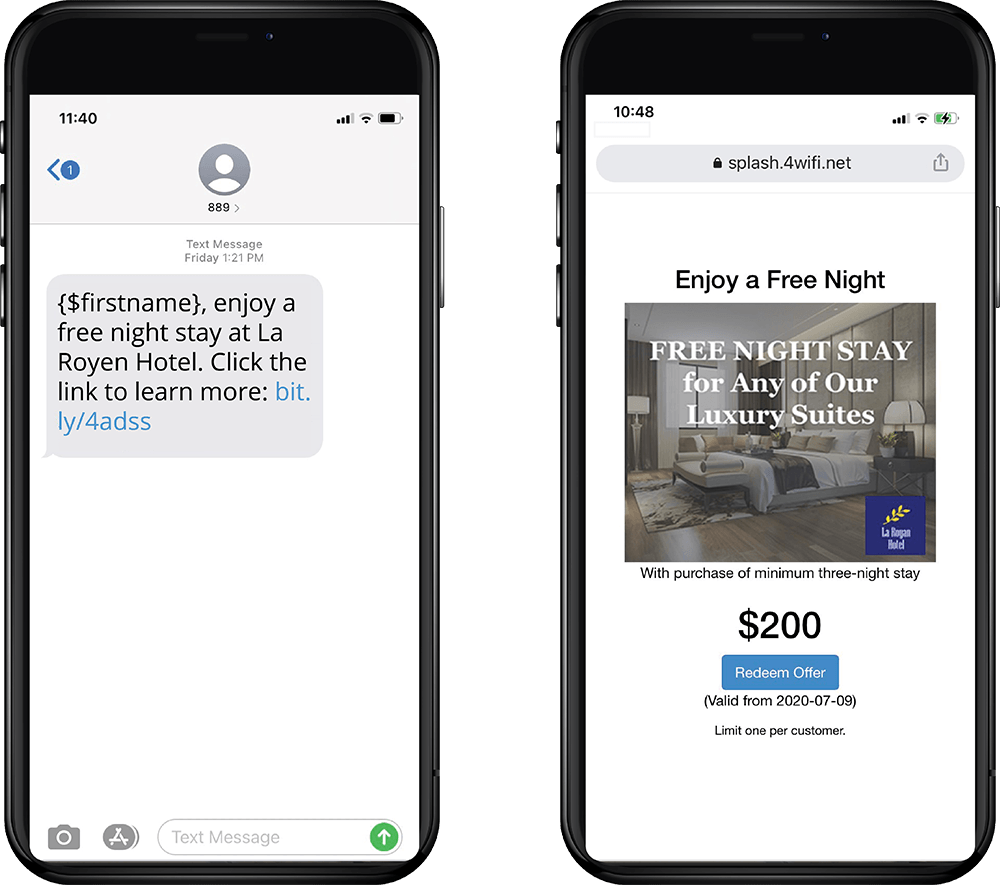
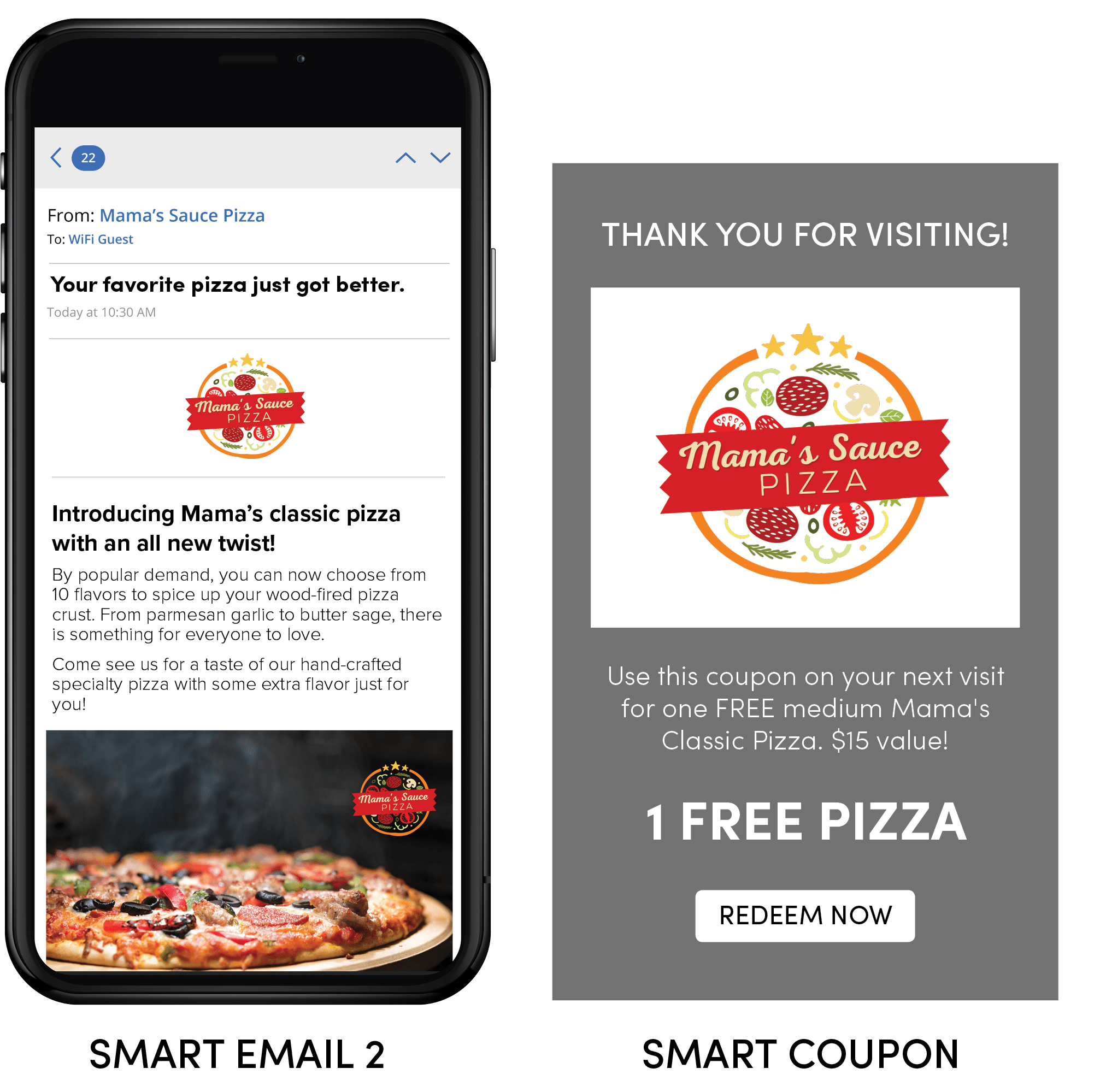
Unlock new revenue streams with Smart WiFi’s automated coupon campaigns—create unlimited, customized offers that are instantly delivered to your guests via email or SMS when they connect to your WiFi. Effortlessly boost engagement and drive repeat business, while tracking every redemption to see real results for your venue.

Splash Page Scheduler

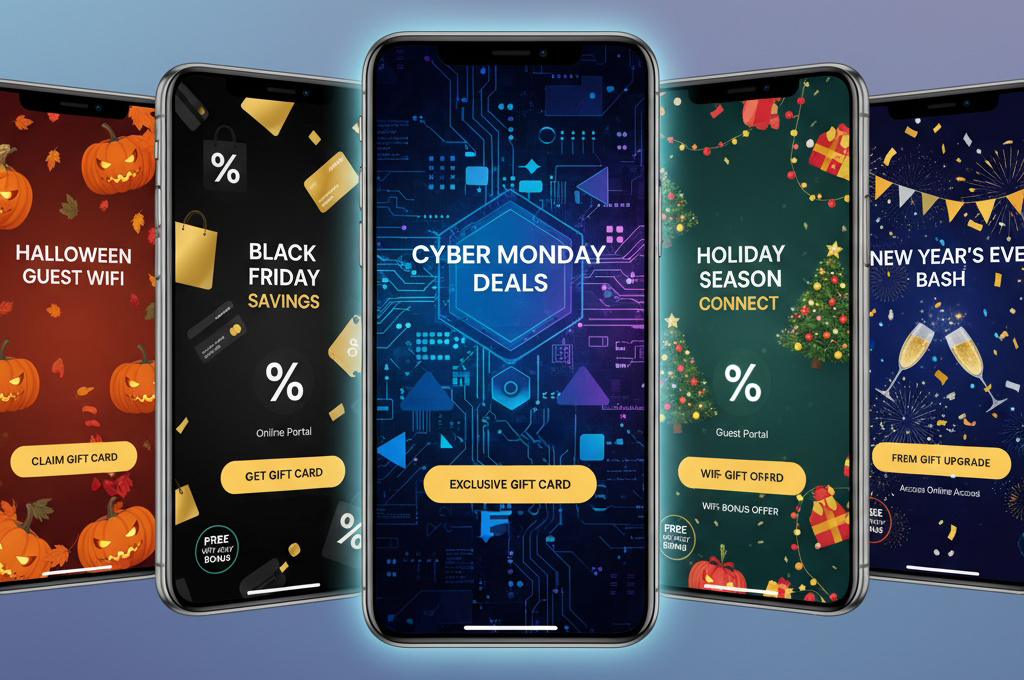
Take control of your guest experience with our Splash Page Scheduler! Effortlessly plan and customize splash pages for any day or special event—whether it’s a weekly promotion or a one-time announcement. With flexible scheduling, you’ll always deliver the perfect message to your guests, exactly when it matters most.

How Does OpenRoaming Work?

OpenRoaming is a groundbreaking framework designed to provide seamless and secure Wi-Fi connectivity across multiple networks without the need for users to repeatedly log in or manage credentials. This simplifies user experiences while enhancing security and interoperability. Here’s how OpenRoaming operates:

  1. Automatic Device Authentication: OpenRoaming enables devices to automatically authenticate to participating networks using trusted identity providers, such as service providers, educational institutions, or enterprise systems.
  2. Federated Trust Framework: It leverages a global federation of identity providers and access networks. This ensures secure communication between the user’s device and the Wi-Fi network, allowing for trusted and seamless connections.
  3. Encryption and Security: OpenRoaming employs advanced encryption protocols to ensure secure data transmission and user privacy.
  4. Seamless Handover: When moving between participating networks, OpenRoaming allows for uninterrupted connectivity without requiring users to re-authenticate or reconnect manually.
  5. Standardized Deployment: Networks participating in OpenRoaming adopt a consistent framework, ensuring compatibility and ease of deployment across diverse environments.

Advantages of OpenRoaming

  • Effortless Connectivity: OpenRoaming eliminates the need for repeated logins or managing passwords, delivering a frictionless experience for users.
  • Improved Security: By using identity federation and encryption, OpenRoaming ensures user data is secure, reducing risks associated with public Wi-Fi networks.
  • Global Interoperability: OpenRoaming’s federated framework allows users to connect seamlessly across a vast ecosystem of participating networks, enhancing mobility and convenience.
  • Enhanced User Retention: Businesses benefit from providing an uninterrupted user experience, encouraging longer visits and repeat engagements.

Challenges with OpenRoaming

  • Initial Setup Requirements: Participating networks must implement the OpenRoaming framework, which may involve technical setup and coordination with identity providers.
  • Network Participation: OpenRoaming’s effectiveness depends on widespread adoption by networks and identity providers, limiting availability in areas where participation is low.
  • Compliance and Maintenance: Ensuring compliance with OpenRoaming standards and maintaining infrastructure can require ongoing effort and investment.

OpenRoaming for Businesses

 Businesses that adopt OpenRoaming, which allows guests to connect automatically, gain a competitive advantage by providing a secure and effortless Wi-Fi experience for customers. From improving customer satisfaction to creating opportunities for engagement and loyalty, OpenRoaming transforms Wi-Fi connectivity into a strategic asset. By joining the OpenRoaming ecosystem, businesses can become part of a global network that keeps users connected wherever they go.

How Does CAPPORT Work?

CAPPORT (Captive Portal API) streamlines the process of connecting users to Wi-Fi networks by creating a seamless and user-friendly experience. When a user accesses a CAPPORT-enabled network, they are guided through an efficient flow for authentication and internet access:

  1. Connection Initiation: The user’s device requests internet access when attempting to connect to the network.
  2. DHCP and CAPPORT State Interaction:
    • The device communicates with the DHCP server to obtain an IP address.
    • Along with the IP, the DHCP server provides a URL to the CAPPORT State endpoint.
    • The device queries the endpoint to determine whether it needs redirection to a captive portal.
  3. Captive Portal Engagement: If required, the user is redirected to the portal, where they can complete actions such as accepting terms, entering login credentials, or providing other validation.
  4. Authentication and Access: Upon successful validation, the network grants the user internet access, and redirection ceases for the duration of the session.
  5. Browsing and Session Extension: Users can browse without interruption. CAPPORT also supports seamless session extensions, allowing users to extend their session without re-authentication.


This standardized process ensures a smooth connection and consistent user experience across networks and devices..

Advantages of CAPPORT

  • Standardized Connectivity: CAPPORT ensures uniform communication protocols, delivering consistent network behavior and enhancing the user experience.
  • Improved Browsing Experience: Avoids common HTTPS redirection issues, reducing errors and streamlining the login process.
  • Seamless Session Management: Enables session extensions without re-login, ensuring uninterrupted connectivity for users.

Challenges with CAPPORT

  • Implementation Complexity: Setting up CAPPORT requires a robust network infrastructure, which may challenge businesses lacking technical expertise.
  • Local DHCP Server Requirement: CAPPORT relies on a local DHCP server with an API, necessitating specific configurations and potential cost considerations.
  • Device Compatibility: As of 2023, CAPPORT support is not universal, limiting functionality on some devices.

By addressing these challenges, businesses can leverage CAPPORT to enhance connectivity, improve user experiences, and create opportunities for Wi-Fi monetization and marketing.

Talk to an Expert


Smart WiFi Suite Enterprise Feature Matrix

  • Enterprise-grade cloud infrastructure
    Scaleable platforms on the Amazon AWS cloud provides carrier-grade uptime.
  • Multi-Location Data Views
    An aggregated view of your data giving you visibility to all of your locations or drill-down to specific locations.
  • User Access Control
    Allows your administrator to control and limit access, features and data visibility among users.
  • Advanced Captive Portal Engine
    A complete toolset to design and build dynamic captive portals, guest flows and custom privacy controls. Includes our Touchless Menu features.
  • Guest Forms, Vouchers and Payments
    Collect guest data, surveys, on-line or offline payments and offer different access levels.
  • Customized login methods
    Choose how guests are able to access your network including social login, emails and SMS login, advertisements or a combination.
  • Data Export
    Full guest profile export to CSV allowing you to use collected data in third party systems.
  • Detailed Location Data Analytics
    Analyse detailed information about your locations like busy days, busy times and location comparisons.
  • Demographics and Device Information
    Make informed decisions based on detailed demographics and perform location comparisons.
  • Data Sync to other systems/API
    Save time populating other systems as guest profile data can be sent to external systems on timed intervals.
  • Triggered Campaigns
    Engage with your guests without the manual work by creating personalized email, SMS or Twitter campaigns.
  • Coupons and Loyalty
    Increase spend and promote repeat visits by creating incentives for guests or their friends to come back.
  • Import external data
    Bring in contact data from other systems to consolidate your marketing efforts into a single comprehensive platform.
  • Contact segmenting and lists
    Build contact groups to send personalized messages to your guests based on automatic segmentation and your own critera.
  • Scheduled Campaigns
    Communicate with your contacts to drive awareness through email, SMS or Twitter.
  • Traffic Counts and Statistics
    Monitor your venue and events with real-time and recorded traffic counts and patterning.
  • Heatmapping and Traffic Flows
    Visualize crowd density and how people flow in, out and through your venue to see where people congegrate.
  • Alerting and Reporting
    Create automated alerts to help control crowds or to monitor abnormal trends.
  • Intelligent Landing Page Builder
    Simple to create pages that support multiple campaign types and can easily be modified and re-purposed for other venues or events.
  • Campaign Management Tools
    Offer your advertisers options to suit their advertising needs such as A/B testing, ad weights, flexible scheduling and more.
  • Reporting and Attribution
    Analyse detailed information about the campaigns and creatives to get the best campaign targeting.

  • Access


  • Insights


  • Automation


  • Contacts


  • Presence


  • Advertising

You should receive a text shortly with a link to view a sample Guest Flow.

Take a look at the sample we just sent you, and feel free to reach out if you’d like to learn more.

Custom Splash Page Builder

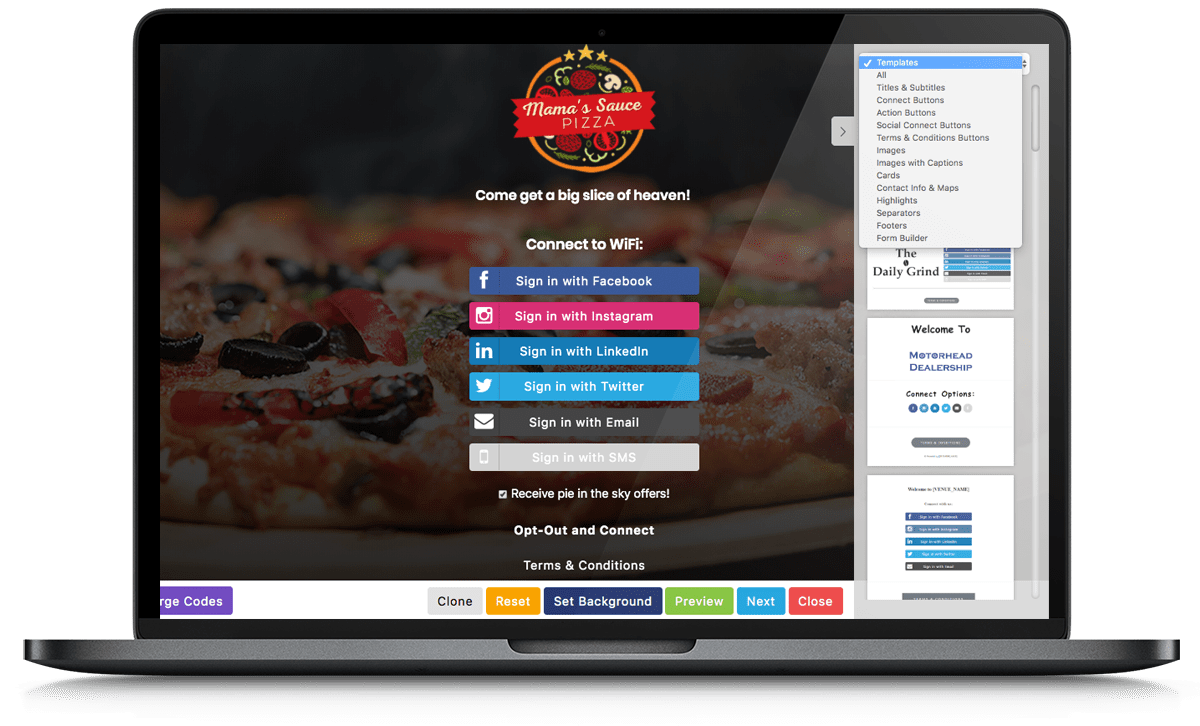
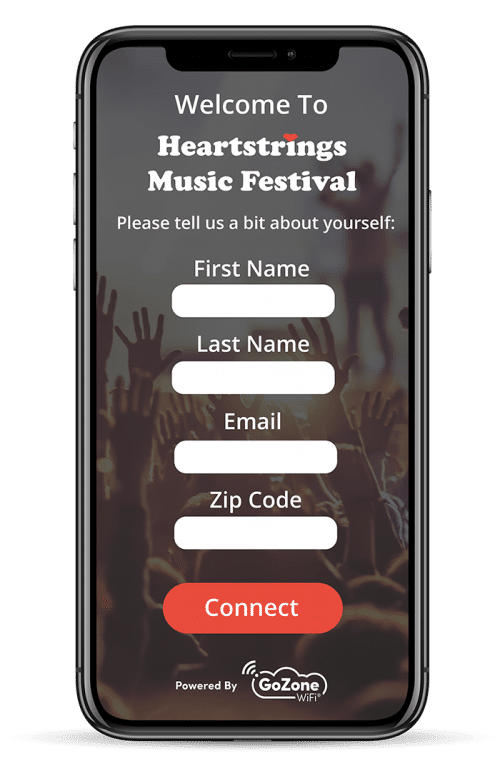
A custom splash page helps give a captive portal the branded look it needs to stand out from the crowd and give guests the peace of mind they’re accessing the network associated with the venue they’re visiting.

WiFi Payments and Vouchers

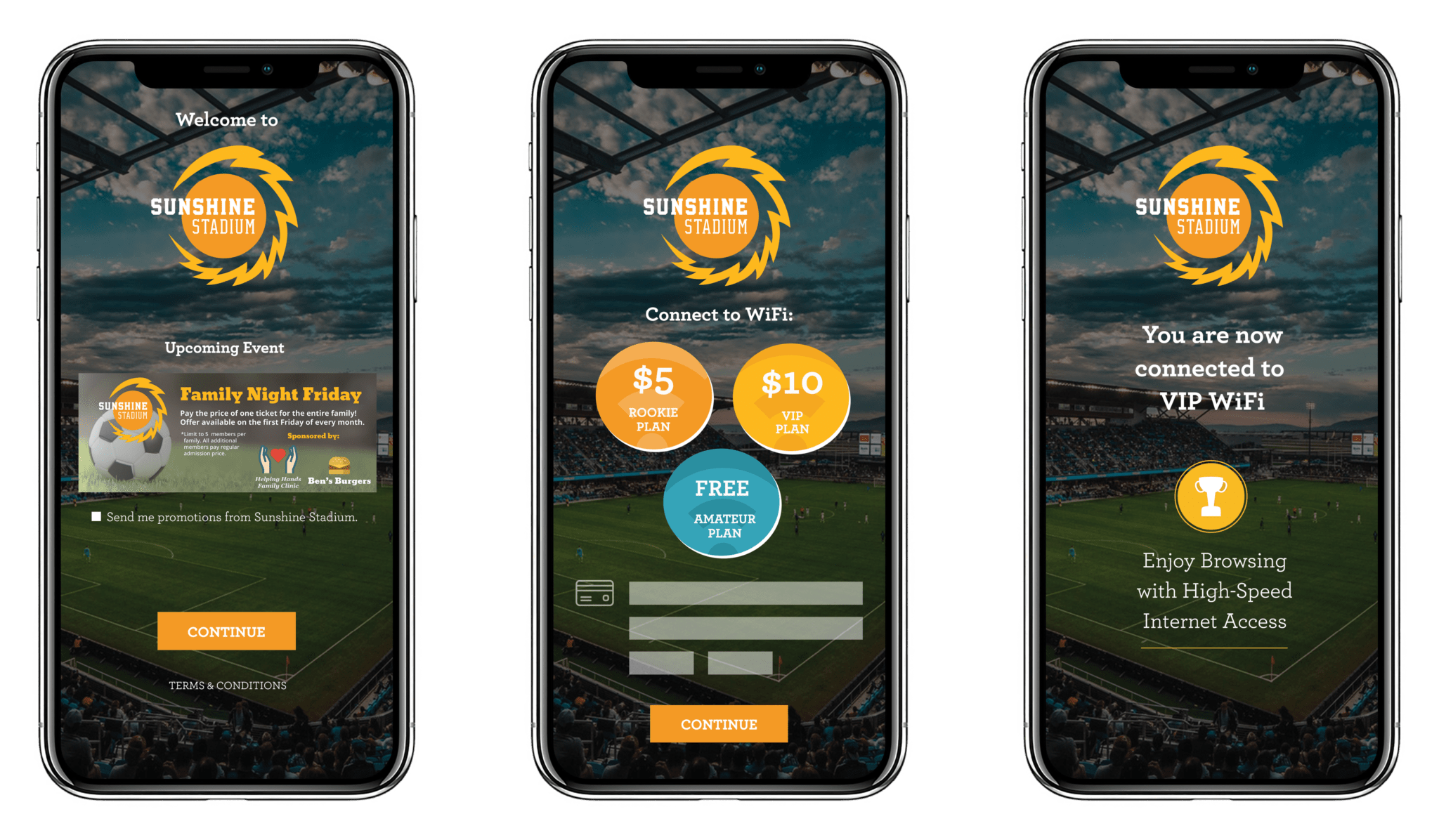
Offer premium guest WiFi access and promote WiFi upgrades with comprehensive payment and voucher modules. Payments can be used to offer guests varying speeds of WiFi access, while vouchers are great for venues that want to utilize a captive portal that also requires a voucher code for WiFi access.
WiFi payments and vouchers

Guest Plans

Venues can now offer multiple levels of guest WiFi access with our Guest Plan feature. Guest Plans are defined by specific upload and download speeds and session time limits. Brick-and-mortar businesses can offer guest WiFi access and promote WiFi upgrades with our new payment and voucher modules.

Versatile Form Builder

Create and display custom guest surveys on any splash page of your guest flow. Collect feedback and gather additional data points to create smarter marketing.

Enhanced Guest Flow

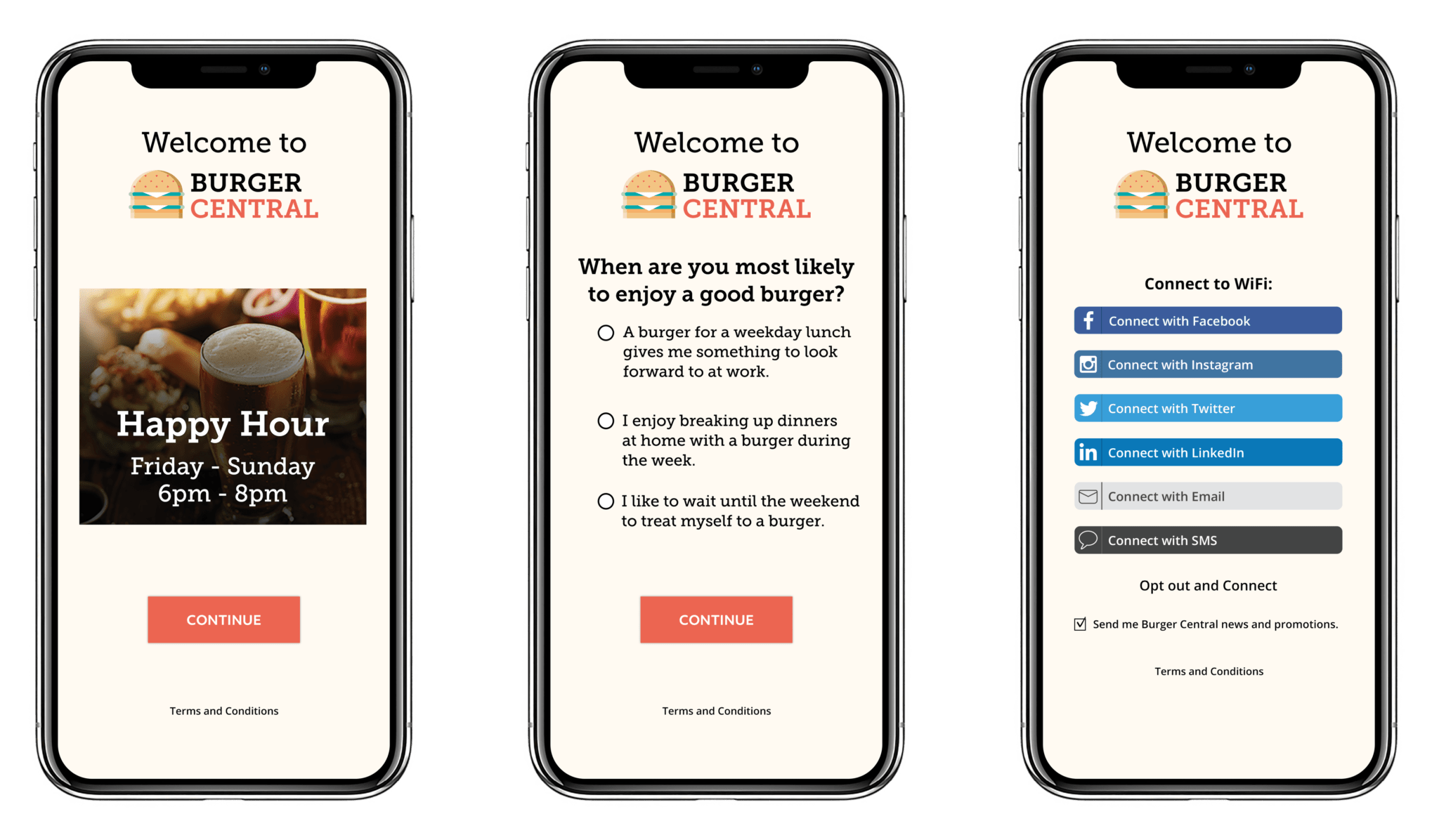
Guest flow gives venues complete control over the guest WiFi experience. Guest flows help keep a visually pleasing captive portal experience by preventing clutter of multiple marketing assets. Keep it simple, or turn your WiFi into a digital billboard.
WiFi splash page with survey social login

Integrated Ad Spaces

Ad Space Integrations is a powerful feature for venues who want to promote products, deals and specials, online shopping, loyalty programs and other signups, or third-party advertisers all on a pre-authenticated Splash Page.

Increase impressions and clicks for advertising opportunities by showcasing AdSpaces before requiring a guest to connect to WiFi.

Have an app that needs more downloads? The URL redirect function will navigate guests to the app store specific to their device as soon as they click on the advertisement/call-to-action button.

No more will guests have to wait to connect to WiFi to reach interactive ads. Ad Space Integrations takes Ads4WiFi smart advertising tools and places it our smart marketing environment powered by Marketing4WiFi.

Hotspot Scheduler

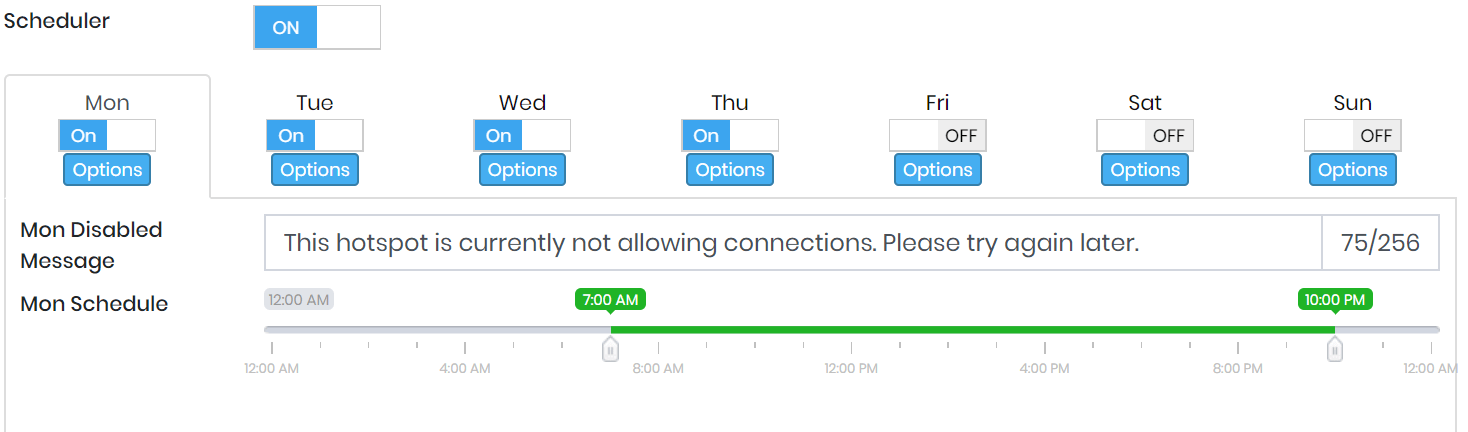
Determine the specific days and times that WiFi is available to guests. Hotspot Scheduler offers smarter WiFi control by allowing venues to run their guest WiFi during business hours.